A new invasive plant has made it to Texas. It has only been spotted with verification nine times in the state, and one of them is in Milam County. The other eight are in a small area of Burnet County.
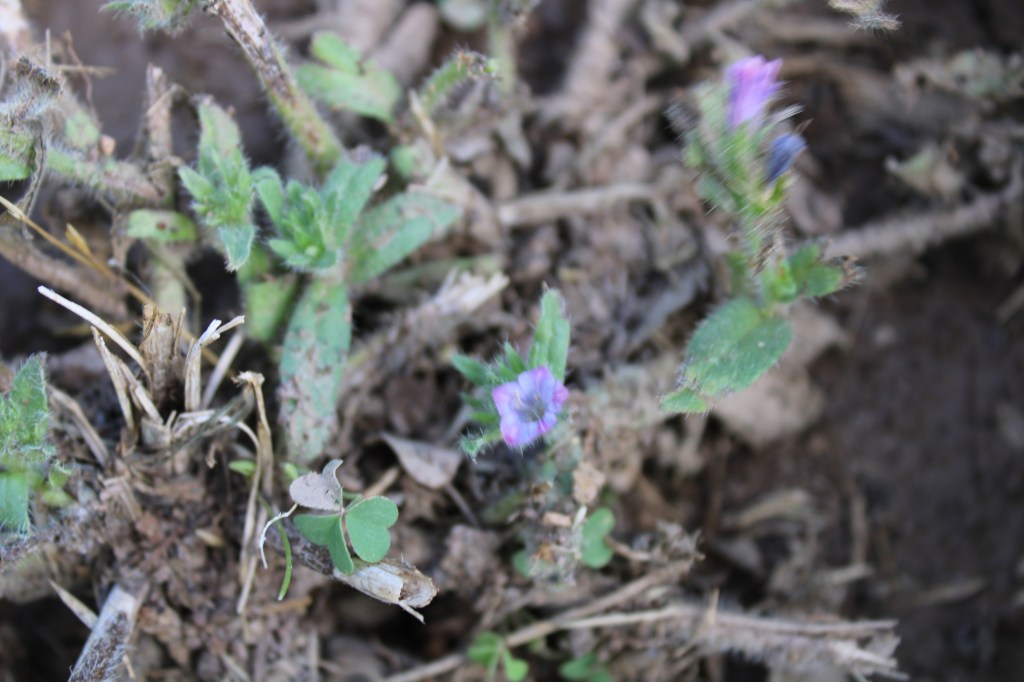
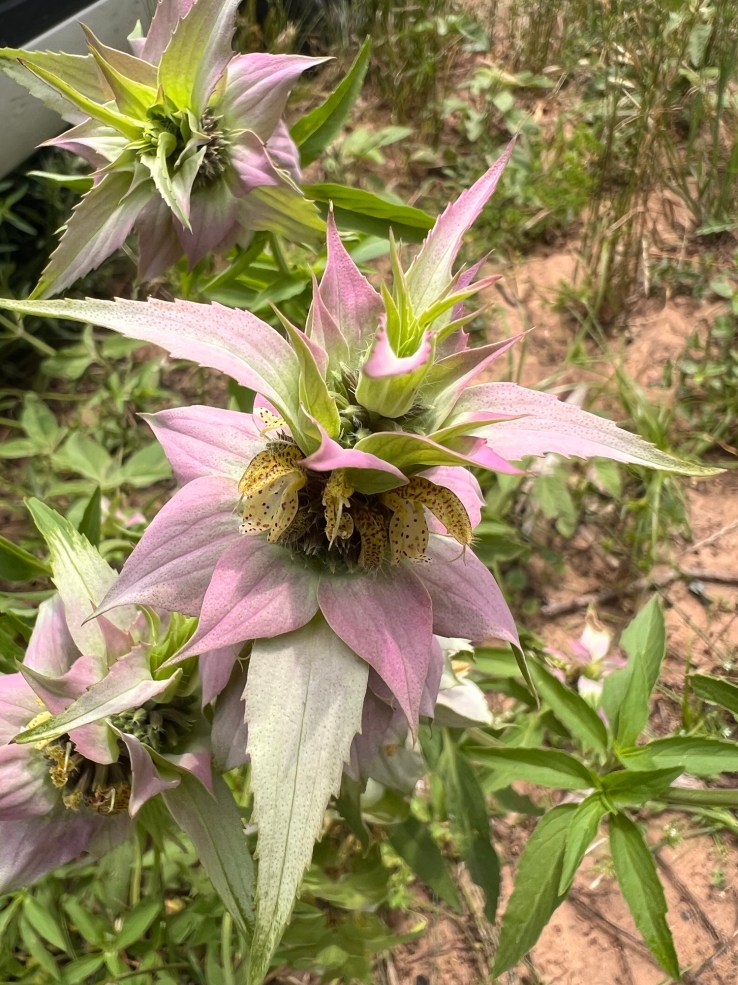
During the field trip to the McCormack Purple Martin conservation place, I took a photo of a flower I had not seen before. Of course I put it on iNaturalist. It got one “favorite”, but it couldn’t be verified as the Viper’s-Bugloss (genus Echium ) I had chosen to identify it. I had noted that I wasn’t sure, but it looked just like it.
My original observation image
Then an iNaturalist ecologist took note of it. He was very concerned about it, and he asked if I would go and take more photos of it for verification purposes. The gentleman has a PhD from the University of Texas and is a retired Wildlife Biologist at Balcones Canyonland NWR.
Mike McCormack said I was welcome to do that. I met him out there last Saturday and we went looking for some. McCormack noted that they had been dying out when I called, so he watered for me where he knew a cluster of them to be growing. They were blooming. The blossoms were smaller than the one I had seen earlier and had different colors.
The ecologist had warned me to wear heavy gloves and not touch them otherwise. They sting severely and cause a rash. You’ll see an ungloved hand in one of the photos. That’s Mike. He had handled them before and he said it wasn’t that bad, but they do cause an uncomfortable rash. I didn’t risk it. Mike said he first noticed them two years ago. He didn’t know their name until now. His theory is that they were transferred here via a pair of Black-bellied Whistling Ducks that were nesting in a tree above the main site of their location.
I posted several more photos, and the ecologist verified that they are Viper’s-bugloss plants.
They are native to Europe and temperate Asia. They are used in landscaping in a few European countries. They have been spotted in the northern United States and some other countries that didn’t use to have them.
These plants are actually harmful to horses and cattle because they produce a type of Alkaline that harms their livers. The ecologist recommended strongly that “the plants should be herbicided and dug out, bagged, and disposed of – being very careful not to drop any seeds.”
Years ago in Asia, they were thought to resemble snakes on some parts and were used to treat snake bites. Needless to say, that practice fell by the wayside. If you see any, it’s advised you remove them quickly – wearing heavy gloves.
On a quest to take more photos for another iNaturalist on a possible Viper’s Bugloss plant, I discover baby Purple Martins and something else. There is always something new to discover in nature.
Purple Martin nests
There are photos of parents feeding the recently hatched Purple Martins. Plenty of the houses at Mike McCormick’s considerable housing for the birds are occupied with hatchlings and eggs.
McCormick says the majority of them will take flight in mid-June. He also noted that the late male arrivals are fighting the older males for housing. This is apparently common. The debate is over whether they are drawn to their nest they were hatched in the year before or they are trying to establish territory.
While standing out among the martins, I noticed a ball on the ground. It was between cow patties, but it was too perfectly round to be that.
There I was yesterday, sitting in my back yard, listening to birds and trying to read a book, when I heard a noise in the adjacent pasture, a few feet away from me. Usually when I hear something it’s one of the cottontails coming out of their den to munch on grass, or the cotton rat family traversing their tunnels along the fence line. Y’all, cotton rats are very cute (and no doubt delicious to hawks).
Hispid cotton rat (Sigmodon hispidus) on my porch
When I turned to look, I saw a massive moving blob. I took a photo of it, in case whatever it was moved away before I could get closer.
Can you see it?
I shouldn’t have worried, because the blob turned out to be two Texas Rat Snakes (Pantherophis obsoletuslindheimeri) (our subspecies of Western Rat Snakes) engaged in their mating rituals. This is one of the most interesting things I ever saw in my life, and I’m no spring chicken and have seen many things!
Texas rat snakes are more colorful than other Western rat snake subspecies.
I took many photos and even a two-minute video, that I hope will upload to this blog so you can watch all the undulations and pulses they go through. You can even see the female’s cloaca.
Yay! It uploaded!
I was spellbound. What a privilege to see this behavior out in the wild, right next to my birding chair (eek).
So pretty.
Being the semi-scientific type that I am, I looked up what I could find out about the mating practices of Texas Rat Snakes. It wasn’t easy, because there was little literature specific to these snakes, and nothing mentioned the bit about putting one’s head in the other one’s mouth that I think I saw.
What’s going on here?
However, I did learn that rat snakes mate in May and early June, making this prime time to enjoy the spectacle. Male rat snakes have a two-pronged penis (hemipenis) that is inserted into the female’s cloaca to deposit sperm. They spend a lot of time coiled together (up to an hour), though not all of the time is actually mating. I guess it’s a good time for all.
I was glad to see both heads looking fine.
Texas Rat Snakes lay 10-12 eggs 5 weeks after mating, and they hatch in early fall, which is, not coincidentally, when I tend to see many baby rat snakes.
This one just ate one of my eggs.
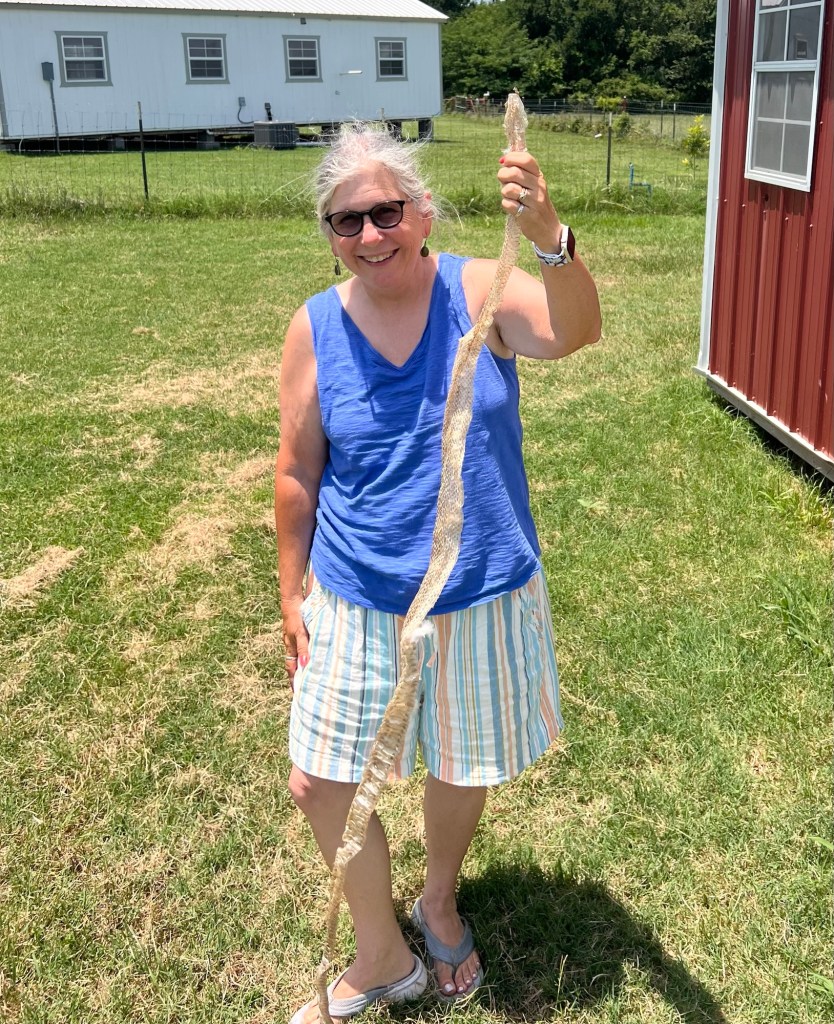
On my property we have quite a few of these snakes, which eat many of our pesky rodents, and many of my chicken eggs. I found a shed skin in my chicken house that was taller than me (I’m 5’2”) which makes sense, because rat snakes are the longest snake found in North America (up to eight feet, though Texas rat snakes usually top out a bit smaller).
Ignore my hair and look at the snakeskin! Photo by Asphalt.
They are constrictors, so that’s how they subdue small mammals before eating them. They will eat pretty much whatever animal they find. Their predators are hawks, especially Red-tailed Hawks, and where they have them, minks. I don’t think we have minks in Milam County, so that’s one less thing for the snakes to look out for.
Checking the hen house.
I really enjoy observing these snakes and consider any eggs they eat to be payment for mouse patrol. Note that they are great at climbing, and it’s fun to watch them climb walls. In fact, when we kept one as a pet for a few years, its name was Climber.
Climbing
By the way, this is prime snake season. I saw two plain-bellied water snakes today, on the Walker’s Creek bridge and in Walker’s Creek, north of Cameron, Texas. My friend Pamela found one at her house in a bucket of water, too. They are non-venomous snakes, like the rat snakes, so I just watch them and let them do their thing.
It was crawling off the bridge.I love the patterns they make in the water. Heading for shore.Photo by P. Neeley.
Today we had one of our first educational sessions at the Wild Wings Bird Sanctuary, sponsored by the El Camino Real Texas Master Naturalist chapter. Although there’s no denying the weather was toasty and humid, the attendees all learned about Merlin Bird ID and iNaturalist.
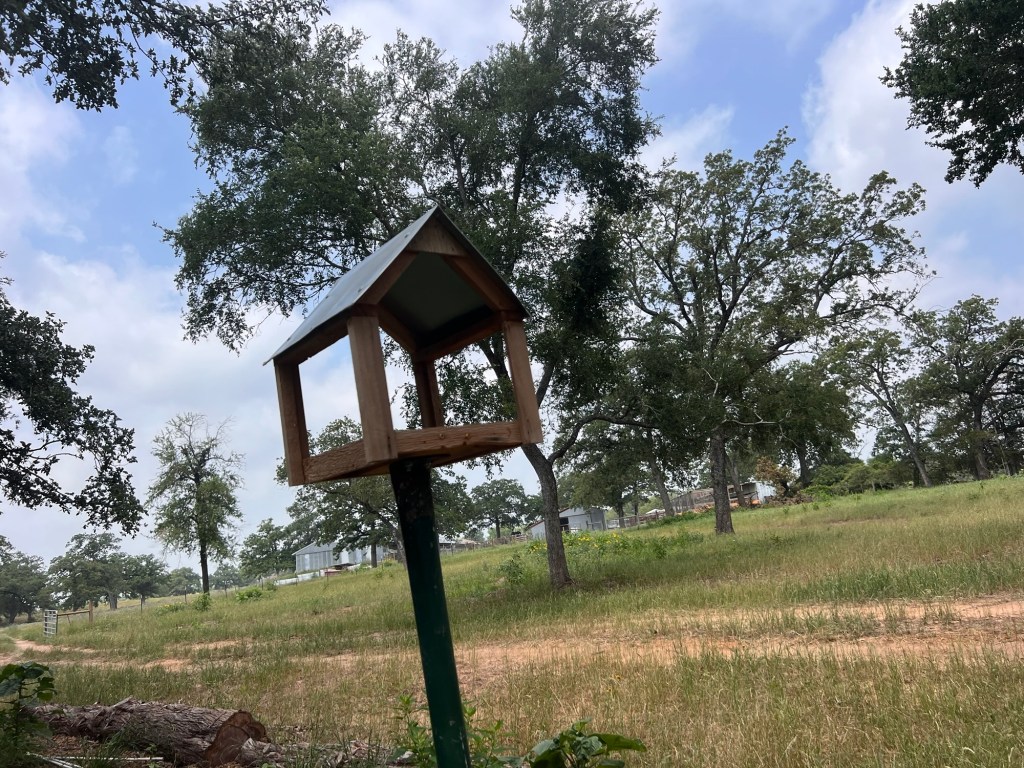
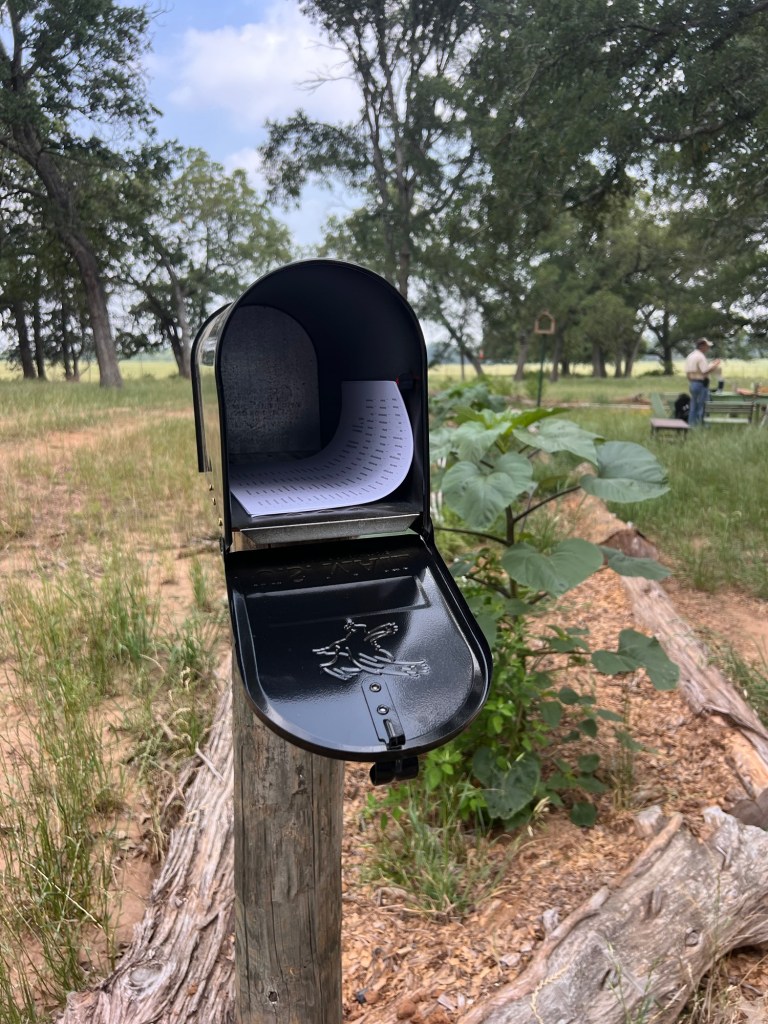
Practicing with MerlinMany wildflowers surround the Wild Wings Bird SanctuaryNew platform feederMailbox for things to shareThere’s a birds of Milam County checklist and some tools you can borrow in hereBonus: a Wheel Bug Arilus cristatus
I enjoyed leading the discussion, since I just retired as an adult educator and miss teaching people. I’m grateful for the opportunity to give back to the chapter.
When I parked, I went next to this Spotted Horsemint (Monarda punctata). You sure could smell it!
Anyway, before we started, one of our members brought a baby bird she has been caring for to try to identify it. We enjoyed watching it eat and peep. No doubt it will soon be in the hands of All Things Wild or another rehab organization, but for now, the little Blue-gray Gnatcatcher or Mockingbird seemed in good shape. Interestingly, more than one of us tried to use Merlin Bird ID to identify it, but depending on the angle of the photograph (or something), different birds came up. On iNaturalist, my photo came up unambiguously Blue-gray Gnatcatcher, however. And looking at the bird, it seems more likely to be a Gnatcatcher than a Mockingbird or Phoebe. It will be interesting to find out how it turns out.
Getting a photo with the tail feathers seemed to help.
The class had a mix of learners, from people who were unable to access the App store to get either app on their phone to very quick learners to experienced helpers. I did my best to help everyone but always got stumped when I can’t remember their passwords for them (I can’t remember mine either, but have finally found ways to find them when I need them). I can help people later! Oh, and those with Android phones weren’t able to acquire the new iNaturalist, because it’s only out for iPhones, to the great consternation of some of our power users!
Merlin
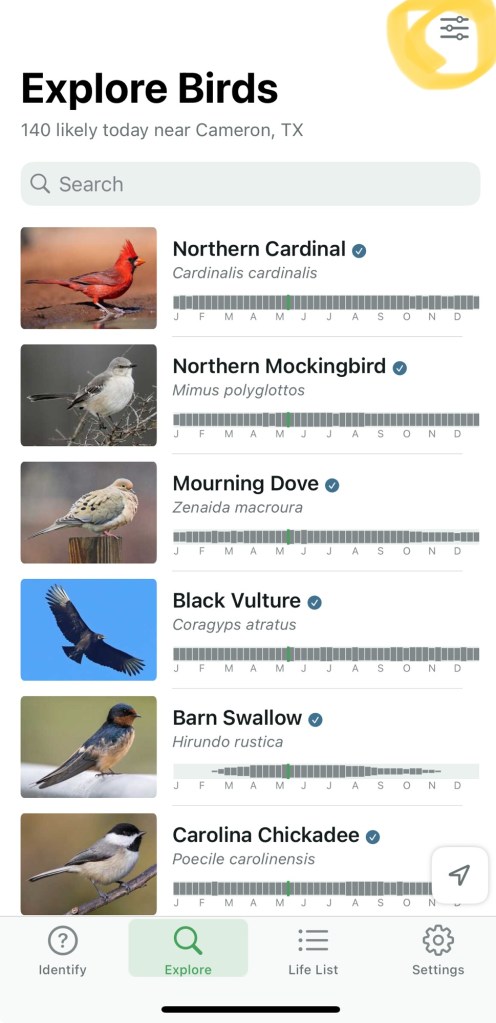
The good news is that even some of the experienced people learned new features of Merlin Bird ID. Some of the most helpful information is kind of buried among menus and options with cryptic symbols. We had a lot of fun seeing what the most likely birds in the area around Wild Wings would be, and people practiced the step-by-step and photo ID features. I enjoyed showing learners how to get to additional information about birds they identify, such as migration patterns, songs and more.
Most important from a “citizen science” viewpoint, is that everyone learned how to save an observation to their life list. There were some very gleeful folks who started to build out their lists. Who doesn’t enjoy seeing a bunch of stars appear and the words “New Lifer!”? I sure enjoy it, even with 333 birds on my list (I travel a lot, so there are lots of East Coast, Colorado and Arizona birds). These observations go on eBird, where biologists and others use it to track patterns of movement, migration, and numbers. The more people record observations, the more information they will have.
My most recent birds. Can you tell it was migration time?
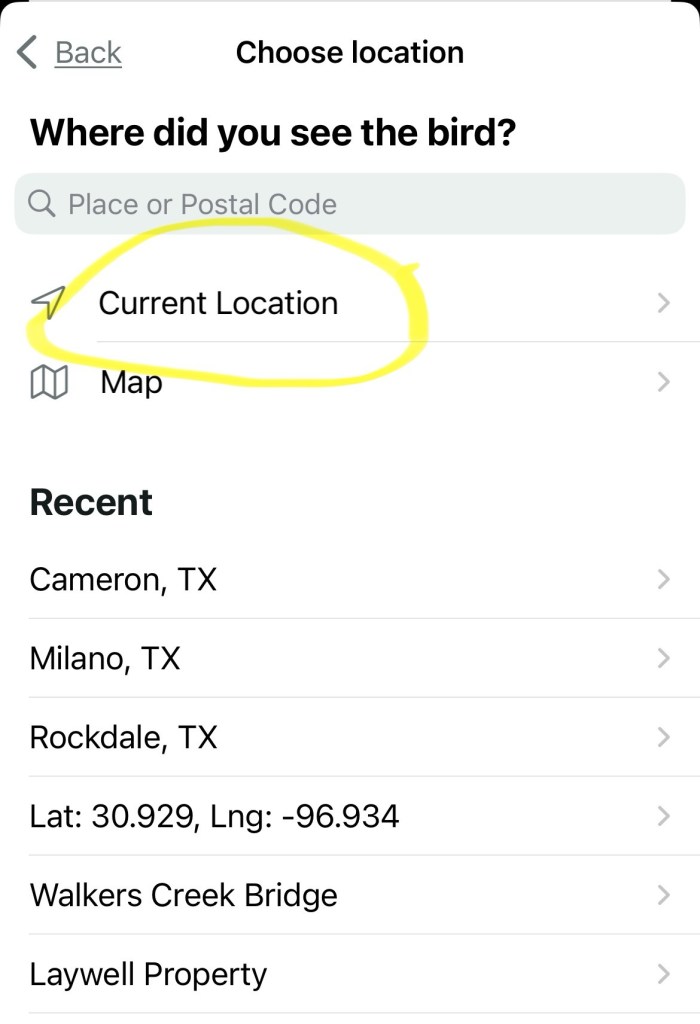
It’s important to remember that the birds identified by the AI software used by Merlin are not always accurate, as I’ve written about before. For example It’s less accurate if you don’t have it set to listen for birds where you are, too (I forgot to tell mine to stop listening for South Carolina birds recently, and only realized when a Texas bird I heard was missed). [I forgot to teach this part, so here are some instructions.] The setting to change locations (if you travel or something) is accessed by clicking the menu on the Explore (search) screen and clicking where it says “Cameron TX” on my version of the Refine Bird List screen (yours may differ). Then click Current Location (I usually leave mine on my house, which works fine for all our area). It will be stuck on your last location until you select “current location”
How to change your location in Merlin Bird ID
It helps to visually confirm the birds heard unless you’re familiar with it (I think most of us can confirm an American Crow) and to ensure that there isn’t another source for the call (Mockingbirds in my area do a great job with Eastern Phoebes, Eastern Bluebirds, and Belted Kingfishers, for example). Still, using Merlin is a great help for learning to do your own identification of bird calls and impress non-birders.
iNaturalist
Most of our group knows how to use iNaturalist on the computer and/or phone, but not many were familiar with the new iPhone app. So, I showed those who needed the app how to find it and helped get them started. The new app is quite different and has some interesting new capabilities, like using AI to identify what you’re looking at without taking a photo, identifying batches of observations and uploading them later (handy if you have limited bandwidth in the field), and grouping your photos before uploading (a little tricky but helpful).
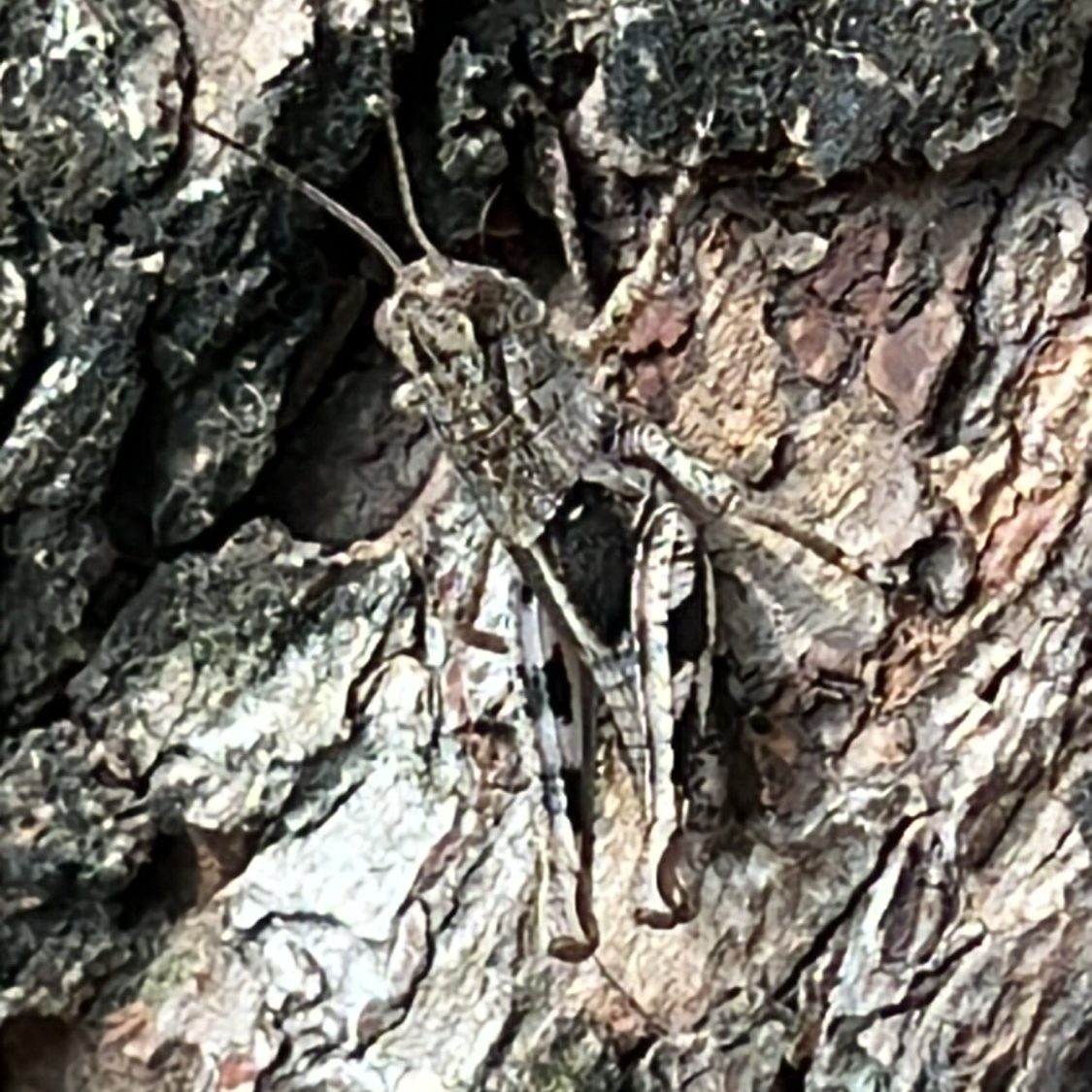
This Ponderous Spur-throated grasshopper sure blended in with the tree, but iNat got it!
I’d like to do another session on the updated iNaturalist when more Chapter members get set up and try it out a bit. But at one of us said to me, the best thing to do it just get it and make yourself use it until you figure it out. That’s what I did (it helps that I learned and taught applications for a living until just recently, so I’m a good software learner).
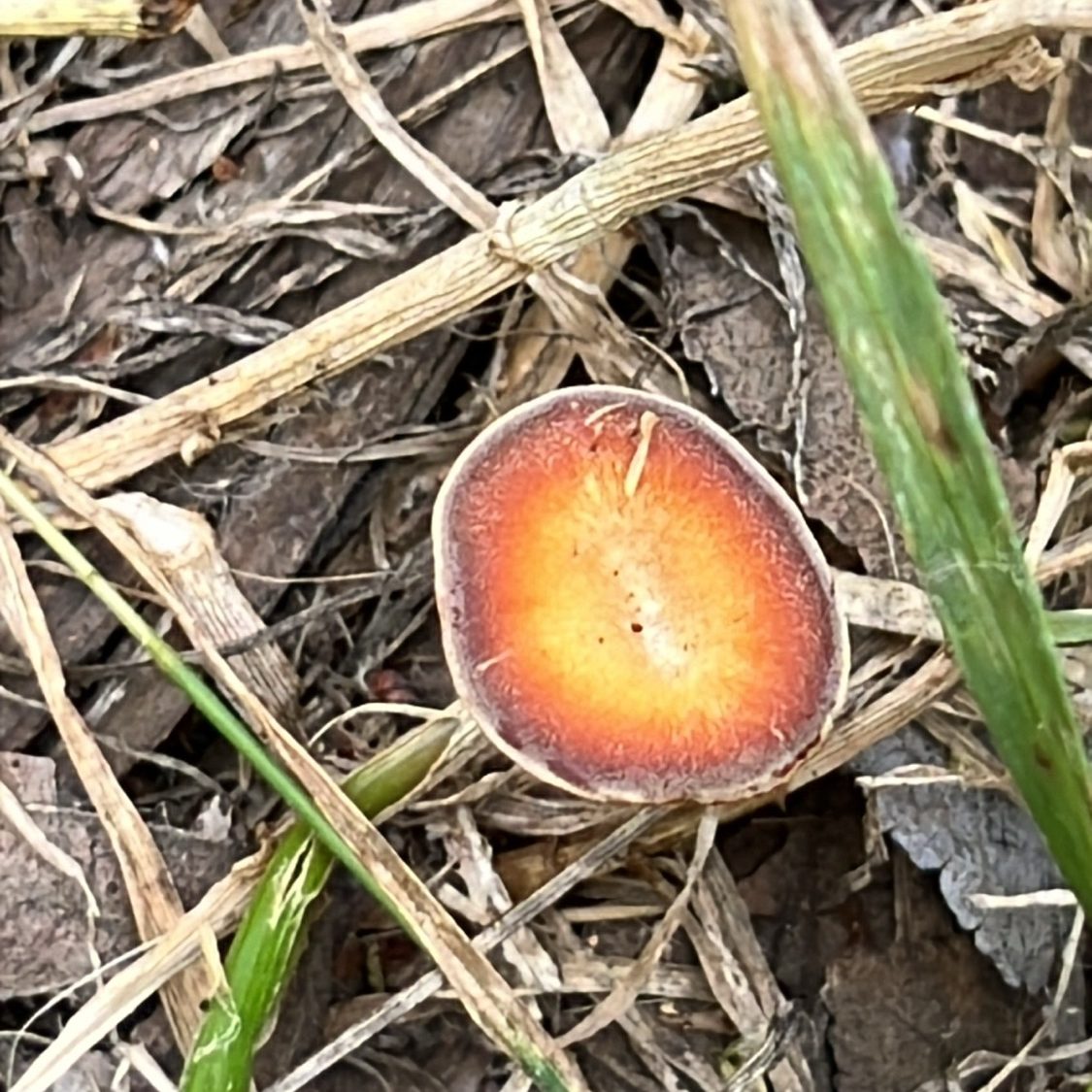
iNat has no clue what this fungus is. I should have gotten a photo from the side – rookie error!
I’m here as a resource for anyone with questions on this one. Send me an email or comment on this blog. Our usual source of vital iNaturalist information, Linda Jo Conn, is hampered by having an Android phone, but she’s your go-to on the computer app and the “classic” iNaturalist. Of course, iNat is working on that Android version, so it should be out soon, we hope.
Thanks as always to Ann Collins and Gene Rek for their hard work on Wild Wings, as well as to our bird sanctuary committee. They have kept the project on track and enabled us to start our educational programs.
Resources
New iNaturalist App for iPhone! This article provides more information about the new iNat app, and has a handy video on configuring it to behave a bit more like the earlier version, which is more like how people who do a lot of identification will want to use it. I highly recommend this if you can learn from text or video (some people prefer to be shown).
The bi-annual trip of the El Camino Real chapter – Texas Master Naturalist to the Purple Martin conservation project of Mike McCormick was both awe inspiring and amusing. McCormick had hundreds of Purple Martins making his place home for the nesting season while a notable number of dumped roosters were fighting it out on the ground.
Purple Martins in the sky.
McCormick, who started the Purple Martin conservation project at his place south of Buckholts at least 40 years ago, estimated somewhere between 800 to 1,000 Martins in residence this year. It is nearly triple what has come around for the last two years. He attributes it to milder weather so far this year.
McCormick talks about the birds.
He has a few hundred Purple Martin houses set up. They are particular about their “homes.” They like them to be a certain level above the ground away from trees and buildings. They need a pond or stream in the near vicinity. They also do their hunting of insects at a high altitude, although they have been known to hunt over ponds and even on the ground if the weather is bad.
Chapter Members enjoying the talk.
McCormick will walk around under the many houses to get them to come out then the sky looks like it’s covered in Martins. Many are pairing off. Once the babies are hatched, they take about a month before they leave the nest. By early fall, these Martins have flown to Austin, where thousands meet up to then fly to Brazil or other points south for the winter.
Purple Martins’ primary natural competitors are European Starlings, which are invasive to the USA, and sparrows, many of them also invasive. They take over their houses. McCormick has styled a large cage to catch those competitors in and remove them. Human expansion is also a problem for martins wanting to nest in natural spots.
The resident Barn Swallows build their own nests. These are hungry babies!
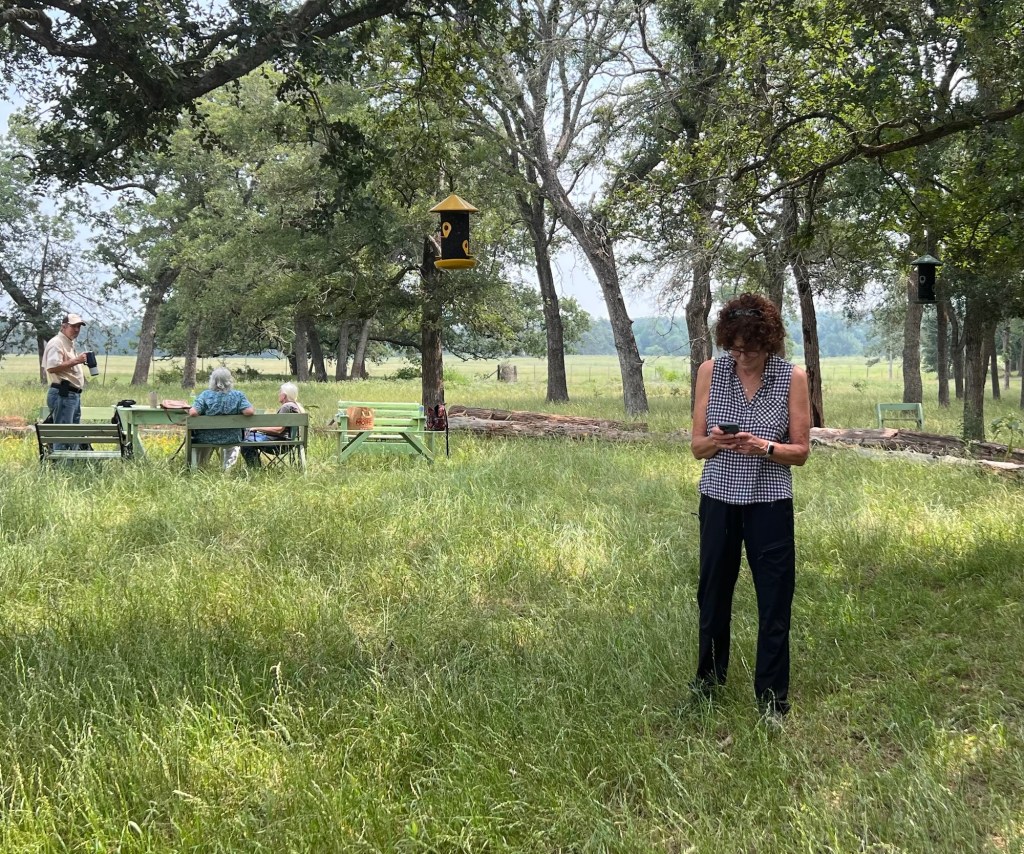
McCormick and his sister have added a nature trail on the site to let visitors see the natural habitat there. They also have created a sort of refuge for other native bids and those ever-invasive non-natives. They use a small corral that used to be used for training horses. They have a birdbath, several feeding sites, and a few bird houses.
Repurposed trah-bin lid makes a great birdbath.
He puts birdseed on the tops of all the fence posts, which brings Cardinals, Red-bellied Woodpeckers, Brown-headed Cowbirds, and and few other species to the little refuge.
Male eats while female Cardinal darts away.
The piece de resistance is new bathroom facilities with running water and full plumbing.
Visits are more pleasant with these available!
To top it all off, they had at least 15 (my sort-of count) roosters dumped on their place. I’m used to dogs and cats being dumped – but not roosters. They were in a fighting mood while we were there.
Innocent rooster just hanging outFighting stancePreparing to go at itFight time – who would dump 15 roosters, knowing they do this?
It’s worth a trip to see all the sites and have McCormick impart much knowledge about Purple Martins.














 Nature Along the El Camino Real